
This version of Keyshape adds support for template documents. Template documents are a great way to reuse content and to ensure a consistent look for animations. Creating a template document is easy. Create a normal Keyshape animation, possibly adding reusable swatches, easings and symbols to it. Save it as a template document by choosing “Keyshape Template” as the format in the save dialog. When you open the template document, you have access to all of its swatches, easings and symbols. Edit the content and save or export the animation. You don’t have to worry about overwriting the original template document, because opening it creates a new untitled document and saving it will require a new filename.
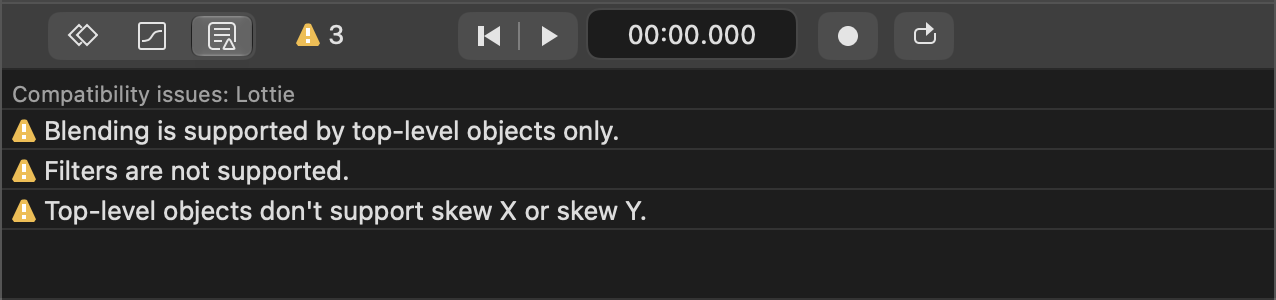
Plugins can now validate documents. It means that the Lottie plugin checks that the animation contains features supported by the Lottie web player. If unsupported features are found, they are reported in the issues tab. The AVD plugin does that, too. Update the Lottie and AVD plugins to their latest versions from Github to activate the compatibility checks. If you have created your own plugins, check the updated plugin API reference, because the plugin manifest format has been changed slightly.
This version supports importing and exporting animated JPEG XL images.
JPEG XL is a fairly new image format providing high image quality and
lossless/lossy compression. JPEG XL images can be recognized by their .jxl file extension.
Safari already supports JPEG XL still images. In a few weeks, Chrome 155, Edge 155 and Firefox 157
will ship with support for still and animated JPEG XL images.
This Keyshape version requires macOS 12 Monterey or later.
Update Sept. 30, 2026: Firefox 157 didn’t ship with JPEG XL, Firefox 158 may ship it.