
Apple has redesigned the macOS user interface with the new Liquid Glass style. Keyshape has been updated to match that style. The toolbar features new capsule-shaped macOS toolbar buttons, while text fields have been slightly enlarged for improved usability.
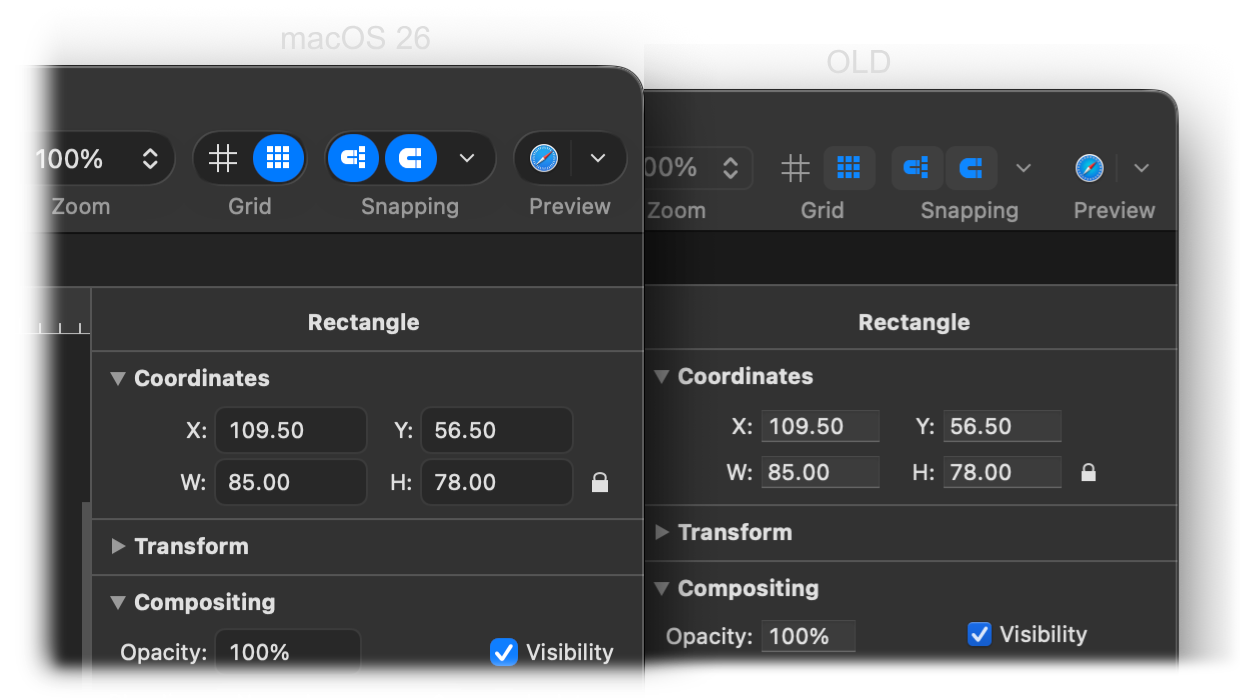
The updated user interface doesn’t have lots of glass effects, transparency, or desktop tinting to minimize distractions.
Additionally, the Keyshape app icon follows Apple’s new dynamic icon design. The updated icon supports dark mode and various tinted modes, which can be customized via the macOS 26 system settings.

This version of Keyshape requires macOS 11 Big Sur or later. The user interface changes are visible for macOS 26 users.